Random wander
Bumblebee
Random phantom motion within the speaker ring
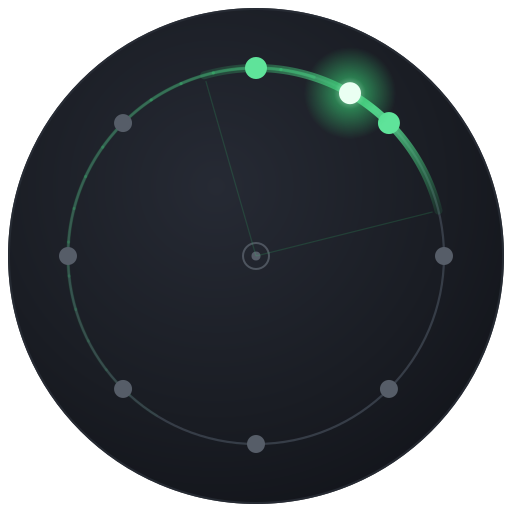
Bumblebee takes your mono sound and renders it as a phantom image that wanders, swarm-like, within the 8-speaker ring. The sound never settles - it drifts and jitters unpredictably around the circle, like a pair of bees orbiting your head. Turn the speed up and the buzzing gets more frantic and far-ranging; turn it down for a slow, gentle restlessness. Width fattens the image from a pinpoint into a spread-out cloud, and Pause freezes the motion wherever it happens to be.
How to use it
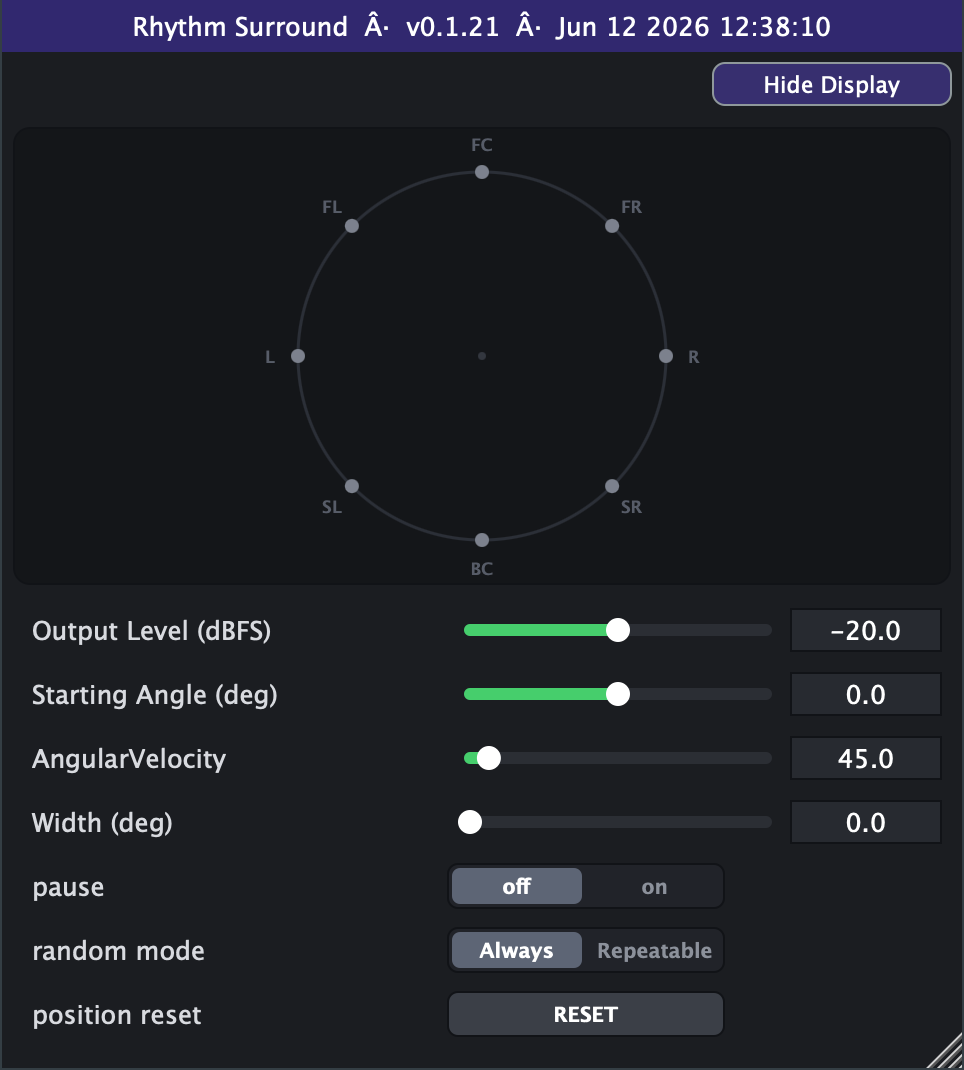
- Start here: Starting Angle 0, Angular Velocity 45 deg/s, Width 0, Output Level -20 dBFS. You'll hear two pinpoint sources gently wandering from front and back.
- Tame or unleash the buzz: Angular Velocity is the size of each random step. Low values (10-30 deg/s) give a slow, almost ambient drift; high values (200-720 deg/s) make the sources skitter wildly all the way around - great for chaotic, agitated textures, sound design swarms, and insectoid motion. (The Advanced tab can extend the slider to 10000.)
- Fatten the swarm: raise Width to smear each of the two movers into a cloud of virtual sources instead of a point. Small amounts (10-30 deg) thicken the image; push toward the 360 deg maximum and the two blobs swell into a full enveloping swarm. Loudness is auto-compensated so it doesn't jump as you widen.
- Set where it begins: Starting Angle (on the Advanced tab) places where the motion starts. Because the motion is random it quickly forgets where it began, so think of this as the seed pose rather than a fixed location.
- Fence the swarm in: the four quadrant switches (on the Advanced tab) limit where the movers may travel - each enables a 90-degree slice of the circle (front-left, back-left, back-right, front-right). All four on is the classic free wander; turn some off and the movers bounce off the edges of the remaining region - front-left + front-right keeps the buzz across the front half, a single quadrant pins it into one corner. At least one quadrant always stays on.
- Smooth it out and roam wider: each mover behaves like the shadow of a bee flying at a constant Angular Velocity - full speed along the rim, banking into turns. Change Rate sets how often the heading is rethought (100% = every 10 ms, the classic frantic buzz; 1% = once a second - long smooth arcs; 0% = never, a steady orbit) and Angle Range sets how big each rethink is (180 deg = anything goes; smaller values only bend the flight path; 0 = no rethinks). Try Change Rate 5-20% with Angle Range 20-45 deg for a bee that actually crosses the room instead of hovering in place.
- Freeze the moment: flip Pause to "on" to lock both copies exactly where they are - handy for finding a static two-point placement, or for stop/start gating effects. Flip it back to resume wandering.
- Reproducible takes: set Random Mode to "Repeatable" so the same wander replays identically every time you play from the same spot on the timeline (good for committing a part). Leave it on "Always" for a fresh, different swarm on every pass.
- Reset Position snaps both movers back to the Starting Angle (and its opposite) on the spot - use it to re-center a wander that has drifted somewhere you don't want.
- Avoid: expecting a smooth, predictable circular sweep - that's Twirl's job. Bumblebee is deliberately jittery and non-repeating (unless in Repeatable mode). Also, very high speeds plus wide Width can become a busy wash; pull Width back if the two sources start to smear into one blur.
- Feed it mono: like all these tools it's a mono-in spatial renderer; route a single source in and let it populate the ring.
Controls
- Output Level (dBFS)
- Overall output loudness. Higher is louder; this is the master trim for the whole effect. Slider range is set on the Advanced tab (default -40..0 dB; extendable to -100..+20).
- Starting Angle (deg) (Advanced tab)
- Where the motion begins on the ring (0 = front, 90 = left, 180 = back, 270 = right, counter-clockwise). Because the motion is random the sound soon wanders away from this seed angle.
- Angular Velocity
- How big a step each mover takes - i.e. how fast and far the sources jitter around the ring. Low = a slow, gentle drift; high = a frantic, wide-ranging buzz. (Used as the step magnitude for the random walk.) Slider range is set on the Advanced tab (default 0-720).
- Width (deg)
- Spreads each mover from a single point into a cloud of virtual sources. 0 = two pinpoints; higher = two wider, more enveloping blobs. Perceived loudness is auto-compensated as the image widens.
- Angle Range (deg)
- How far each rethink may bend the mover's flight heading. 180 (default) = anything goes, the classic buzz; smaller values only curve the path, so reversals become rare, banked S-turns; 0 = no bending at all - a steady orbit.
- Change Rate (%)
- How often a mover rethinks its heading: every 10 ms at 100% (default, the classic jitter), every 20 ms at 50%, every 0.1 s at 10%, once a second at 1%; 0% = never - a steady orbit (bouncing off the quadrant fences if any are set, each bounce at a fresh random angle and speed).
- quadrant switches (Advanced tab)
- Four on/off switches - front-left (0-90), back-left (90-180), back-right (180-270), front-right (270-360) - fencing in where the movers may travel. All on = free wander everywhere (the default); with some off, the movers bounce off the edges of the enabled region. At least one always stays on.
- pause
- off = the movers random-walk freely; on = both copies freeze exactly where they are. Use it to lock a static two-point placement or to stop/start the motion.
- position reset
- A one-shot button: pressing it snaps the motion back to the Starting Angle, re-centering a wander that has drifted.
- random mode (Advanced tab)
- Always = a fresh, different random wander each run. Repeatable = deterministic, tied to the host timeline so playing from the same position reproduces the exact same wander (for repeatable takes).
- Advanced range settings
- Output Level's slider window defaults to -40..0 dBFS, with hard bounds of -100 and +20, and is always linear in dB. Angular Velocity's slider window defaults to 0-720 deg/s, with a hard ceiling of 10000, and is linear by default with a log switch.