Transient spin
Roulette
Transients spin the sound around you
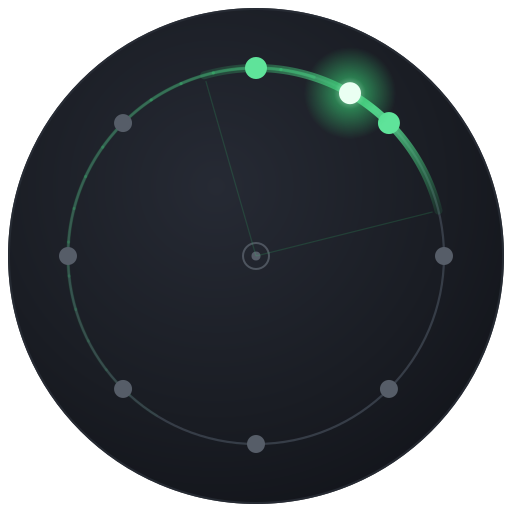
Roulette takes your mono sound and sends it travelling around a ring of eight speakers encircling the listener, but the spin is driven by the music itself. Whenever Roulette hears an onset (a hit, pluck, or note attack) it launches the sound spinning: it accelerates up to speed, holds, then slowly coasts to a stop until the next transient kicks it off again. Between hits the sound parks in place, so a rhythmic part throws the image around the room in time with its own attacks, like a spinning roulette wheel that gets flicked on every beat.
How to use it
- Feed it transients. Roulette shines on percussive or plucky material (drums, congas, mallets, staccato synths, guitar stabs). On sustained pads it barely moves, because there are no clear onsets to launch a spin.
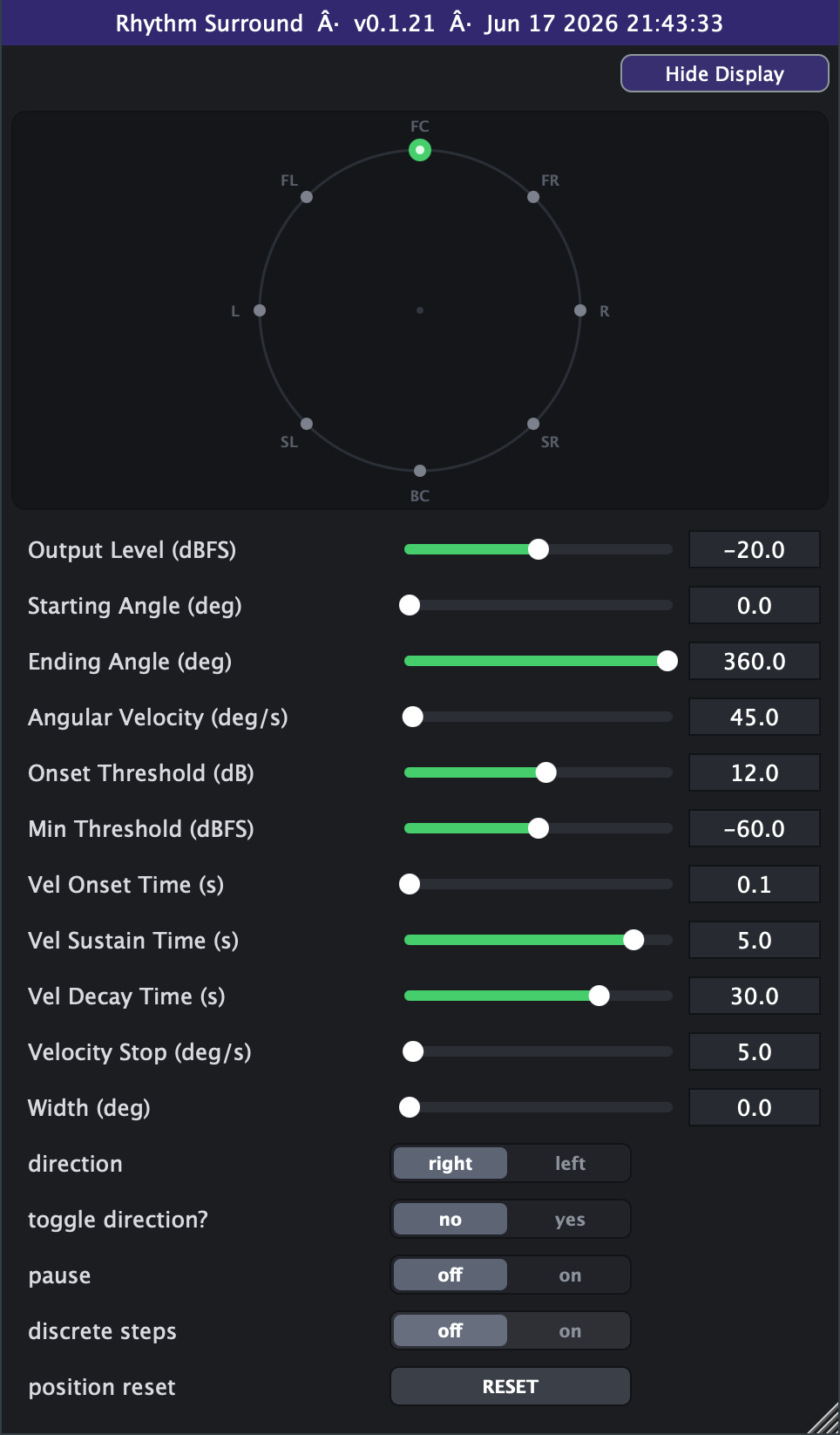
- Start simple. Leave Starting Angle 0 deg, Ending Angle 360 deg (a full continuous ring), Direction CCW, Toggle off. Set Angular Velocity around 90-180 deg/s and play a beat - each hit should flick the sound into a spin that decays before the next one.
- Dial the spin feel with the four velocity controls. Vel Onset Time = how quickly each hit accelerates (keep short, ~0.05 s, for a snappy launch). Vel Sustain Time = how long it holds full speed. Vel Decay Time = how long it coasts down (longer = the sound keeps drifting between hits). Velocity Stop = the speed at which it parks.
- Tune the trigger. If it spins on everything, raise Onset Threshold (how far above the noise floor a hit must jump, 3-20 dB). If quiet passages falsely trigger, raise Min Threshold. If it ignores real hits, lower Onset Threshold.
- Confine the motion. For a sweep that bounces in an arc instead of full circles, set Starting and Ending Angles to a sub-region (e.g. 90 deg to 270 deg) and turn Toggle on so it ping-pongs back and forth between them.
- Width fattens the moving image from a tight point (0 deg) to a broad arc; use small amounts (30-90 deg) to soften an aggressive spin.
- Discrete Steps snaps the sound to physical speaker positions for a chunky, teleporting feel instead of smooth gliding.
- Pause freezes the sound wherever it is; Position Reset snaps it instantly back to the Starting Angle and parks the spin until the next hit relaunches it (click-free) - handy to re-cue before a section.
- Avoid very high Angular Velocity with long Decay Time on a busy part - the spins pile up and the motion turns into a constant blur. For musical, rhythmic throws, let each spin mostly decay before the next hit.
Controls
- Output Level
- Overall output loudness of the spatialised signal. Lower it to leave headroom in a busy 8-speaker mix; 0 dBFS is unity. Slider range is set on the Advanced tab (default -40..0 dB; extendable to -100..+20).
- Starting Angle
- Where each spin begins on the ring (0 = front/centre, 90 = left, 180 = back, 270 = right). The sound snaps here on wrap-around and on Position Reset.
- Ending Angle
- Where the spin stops or turns around. Start 0 / End 360 gives a full continuous circle; a narrower span confines motion to an arc.
- Radius
- How far out the spin runs. 1 sends the source around the speaker ring; lower values pull the spin inward toward the centre for a tighter, interior circle.
- Angular Velocity
- Peak spin speed reached after a hit. Higher = faster orbiting (360 deg/s is one full lap per second). Slider range is set on the Advanced tab (default 0-720).
- Width
- Size of the moving image. 0 = a tight point that pans between two speakers; larger values spread it across more virtual sources (up to a full ring) with automatic loudness compensation.
- direction
- Which way the sound spins: CCW (counter-clockwise, angle increasing) or clockwise. Toggle overrides this to alternate.
- toggle direction?
- yes = the sound ping-pongs back and forth between Starting and Ending Angle instead of wrapping around in one direction.
- pause
- on freezes the sound at its current position and stops onset detection, so no new spins launch until you turn it off.
- position reset
- A one-shot button that snaps the sound back to the Starting Angle, click-free (works even while paused). Re-cue before a section.
- timeline sync (Advanced tab)
- Roulette's motion is onset-driven, so it can't be phase-locked to the playhead like the rhythmic plugins; instead, On means a loop wrap or seek re-cues the spin to the Starting Angle (de-clicked) and parks it until the next hit, so looped playback reproduces identically. Off (the default) is the faithful free-run: the spin coasts through loop wraps.
- Onset Threshold (Advanced tab)
- How far above the running noise floor the input must jump to count as a hit. Raise it so only strong transients launch a spin; lower it to catch softer attacks.
- Min Threshold (Advanced tab)
- Absolute floor below which nothing triggers a spin. Stops quiet noise or bleed from setting the sound off; raise it to ignore low-level material.
- Vel Onset Time (Advanced tab)
- Ramp-up time from a hit to full Angular Velocity. Short = snappy launch; long = a gradual wind-up after each transient.
- Vel Sustain Time (Advanced tab)
- How long the spin holds at full speed before it begins to coast down.
- Vel Decay Time (Advanced tab)
- Coast-down time as the spin slows toward a stop. Longer keeps the sound drifting between hits; shorter parks it quickly.
- Velocity Stop (Advanced tab)
- Speed at which a decaying spin is considered finished and parks, ready for the next onset. Higher stops the drift sooner.
- Advanced range settings
- Output Level's slider window defaults to -40 to 0 dBFS and can be retuned between hard bounds of -100 and +20 dB (always linear in dB). Angular Velocity's slider window defaults to 0 to 720 deg/s with a hard ceiling of 10000, linear by default with a log scale switch. Min can never exceed max, and the range settings only reshape the on-screen sliders and save with your session or preset.
- discrete steps (Advanced tab)
- on snaps the position to the nearest physical speaker (45 deg steps) for a chunky teleporting motion; off glides smoothly.